How to Run Instagram Engagement Sessions Without Getting Shadowbanned
Learn how to run lower-risk Instagram engagement sessions without risking a shadowban. Discover Influxie's configurable limits, proven strategies, and best practices for 2026.
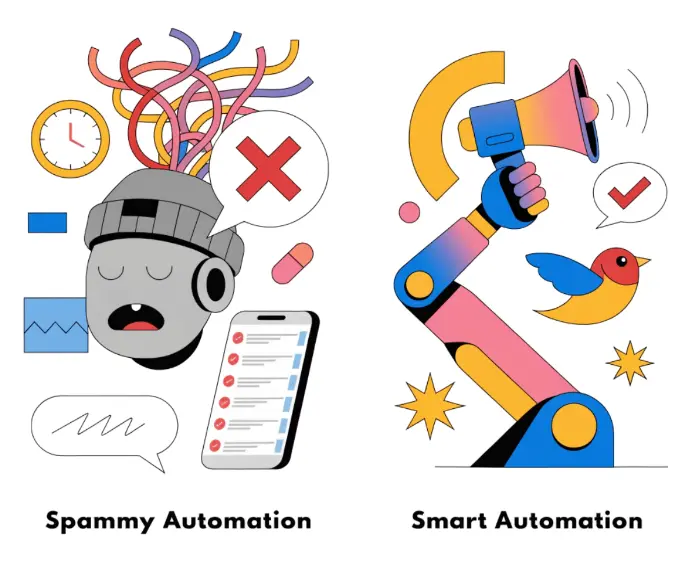
How to Run Instagram Engagement Sessions Without Getting Shadowbanned
Not affiliated with Meta or Instagram. Influxie is an independent tool. Using a third-party tool to perform actions on your Instagram account may violate Instagram’s Terms of Use and can result in limits, suspension, or a permanent ban. See our Privacy Policy and Terms for how this works and what it means for your account.
You’ve heard the horror stories. An account gets shadowbanned, engagement plummets, and months of hard work evaporate overnight. The fear is real – and it’s exactly what keeps many Instagram users from even considering managed engagement.
Using a tool to perform Instagram actions on your behalf is never risk-free — Instagram’s terms generally prohibit it. But you can reduce (not eliminate) the chance of action against your account by understanding how detection works and using conservative, well-configured settings. Here’s how to set Influxie up to minimize unnecessary risk.
The difference between accounts that get flagged and those that grow steadily isn’t luck — it’s strategy. It’s understanding what triggers Instagram’s detection systems, knowing where the safety boundaries are, and keeping your activity volume moderate.
In this comprehensive guide, you’ll learn how to reduce unnecessary risk while running engagement sessions. We’ll cover what shadowbans really are, how Instagram detects unusual activity, Influxie’s configurable safeguards, and practical strategies to keep your account protected while growing your audience.
Let’s dive in.
What You’ll Learn in This Guide
This complete guide to lower-risk Instagram engagement covers:
- What a shadowban actually is (vs. action blocks)
- Clear signs you might be shadowbanned
- What triggers Instagram’s detection systems
- Conservative activity thresholds and daily limits for 2026
- How Influxie’s safety features protect your account
- Red flags to avoid at all costs
- Recovery strategies if you do get flagged
- Prevention checklist for lower-risk engagement
- Answers to common safety questions
By the end, you’ll have a complete understanding of how to run Instagram engagement sessions with conservative settings and confidence.
Part 1: Understanding Shadowbans
What Is a Shadowban?
Let’s start with clarity, because the term “shadowban” gets thrown around loosely. A shadowban is when Instagram restricts your content’s visibility without notifying you. Your posts appear normal to you, but they’re hidden from hashtag feeds, Explore pages, and non-followers.
Key characteristics of a shadowban:
- Your posts don’t appear in hashtag searches
- Your content stops reaching new audiences
- Engagement drops suddenly and dramatically
- Your account growth stalls completely
- Instagram never notifies you – that’s why it’s called a “shadow” ban
Shadowban vs. Action Block: What’s the Difference?
Many people confuse shadowbans with action blocks, but they’re different:
Action Block:
- Temporary restriction on specific actions (following, liking, commenting)
- Instagram explicitly tells you about it
- Usually lasts 24 hours to 7 days
- Triggered by exceeding daily activity limits or suspicious patterns
- Example: “You can’t follow for 24 hours”
Shadowban:
- Content visibility restriction
- No notification from Instagram
- Can last days to weeks
- Triggered by algorithmic flags for suspicious behavior
- Harder to detect and resolve
Which is worse? Shadowbans are generally more damaging because they’re harder to detect and can last longer, silently killing your growth while you remain unaware.
Signs You Might Be Shadowbanned
Based on 2026 data, here are the primary indicators that your account may be shadowbanned:
1. Sudden, Unexplained Engagement Drop
You notice:
- Likes drop 50%+ overnight with no explanation
- Comments decrease dramatically
- Your reach and impressions plummet
- This happens across multiple posts, not just one
2. Hashtag Visibility Issues
Your posts:
- Don’t appear when you search for your own hashtags
- Stop showing up in hashtag feeds you usually appear in
- Don’t reach new audiences through hashtags
- Show 0 reach from hashtags in your analytics
3. Search Discovery Problems
Users:
- Can’t find your account when searching your username
- Don’t see your profile in search results
- Can’t find your posts through Instagram search
4. Stalled Growth
- Follower growth completely stops
- You lose followers without explanation
- New follower acquisition drops to near zero
- This persists for more than 3-4 days
5. Story Engagement Impact
- Story views drop significantly
- Sticker responses decrease
- Replies to stories vanish
- Story reach declines across the board
The key is consistency: A single bad post happens to everyone. But when multiple indicators persist for days across different content types, you’re likely dealing with a shadowban.
Part 2: What Causes Shadowbans
Instagram’s Detection Systems in 2026
Instagram uses sophisticated systems to detect unnatural behavior. Understanding these helps you avoid triggering them:
1. Velocity Detection
Instagram monitors the speed and pattern of your actions:
- How many actions you perform per hour/day
- The regularity of your activity patterns
- Whether actions happen at superhuman speeds
- If your timing is perfectly consistent (humans aren’t consistent)
2. Pattern Recognition
The algorithm looks for non-human patterns:
- Identical time intervals between actions
- Engaging only with certain types of accounts
- Following and unfollowing in predictable cycles
- Repetitive comment templates
- Liking every post from a single account
3. Engagement Quality Analysis
Instagram evaluates whether your engagement looks authentic:
- Are your comments meaningful or generic?
- Do you engage with a diverse range of content?
- Are your follows reciprocated over time?
- Do your actions match real user behavior?
4. Source Detection
Instagram identifies where actions originate:
- Traffic that matches normal app usage
- Unofficial third-party apps (higher risk)
- Bot networks and high-volume activity farms (high risk)
- Multiple IP addresses and devices
Common Shadowban Triggers
Based on 2026 data and user reports, these are the most common causes:
1. Exceeding Daily Activity Limits
- Following more than 100-150 accounts per day (new accounts)
- Liking more than 300-500 posts per day
- Commenting more than 50-100 times per day
- Unfollowing more than 100 per day
- Performing actions too quickly without breaks
2. Using Prohibited Third-Party Apps
- Apps that require your Instagram password
- Bot services selling followers/likes
- Mass follow/unfollow tools running at high volume
- Tools that run actions far beyond normal human use
- Apps promising “instant results”
3. Engagement Spamming
- Using identical generic comments repeatedly
- Liking every post from a single account rapidly
- Following accounts then immediately unfollowing
- Commenting with emojis only
- Engaging with low-quality or flagged accounts
4. Hashtag Violations
- Using banned or flagged hashtags
- Posting with irrelevant hashtags
- Hashtag stuffing (using 30+ hashtags on every post)
- Using the same hashtag set on every post
- Participating in hashtag “pods” or engagement groups
5. Inauthentic Behavior Patterns
- Running activity 24/7 without breaks
- Perfectly consistent timing between actions
- Only engaging to get followers back
- Never engaging authentically with your own followers
- Ignoring DMs and comments on your content
The good news: All of these triggers are avoidable when you run engagement sessions responsibly with a tool with configurable limits like Influxie.
Part 3: Conservative Engagement Thresholds for 2026
Instagram’s Current Activity Limits
Instagram doesn’t publish official limits, but based on 2026 data and user reports, here are conservative thresholds for engagement:
Daily Action Limits (Safe Starting Points):
| Action | New Account (< 1 month) | Established Account (1-6 months) | Mature Account (6+ months) |
|---|---|---|---|
| Likes | 50-100/day | 100-200/day | 200-300/day |
| Follows | 20-40/day | 40-60/day | 60-80/day |
| Comments | 5-10/day | 10-20/day | 20-30/day |
| Unfollows | 15-25/day | 25-40/day | 40-50/day |
| DMs | 10-20/day | 20-40/day | 40-60/day |
Hourly Limits:
- Don’t exceed 30-50 actions per hour in any category
- Take breaks every 60-90 minutes of activity
- Don’t run sessions for more than 3-4 hours continuously
Weekly Limits:
- Take 1-2 days off per week from engagement
- Reduce limits by 50% for 3-5 days if you receive any warnings
- Don’t increase limits by more than 20% per week
The Graduation Principle
Start small, scale gradually. This is the golden rule of lower-risk engagement:
Week 1-2 (New to Sessions):
- Likes: 50-75/day
- Follows: 20-30/day
- Comments: 5-8/day
- Focus: Establishing baseline activity
Week 3-4 (Building Trust):
- Likes: 75-120/day
- Follows: 30-45/day
- Comments: 8-12/day
- Focus: Gradual increase while monitoring
Month 2 (Optimizing):
- Likes: 120-200/day
- Follows: 45-60/day
- Comments: 12-18/day
- Focus: Finding your optimal limits
Never jump straight to high limits – this is the #1 cause of action blocks and shadowbans.
Timing Best Practices
When to Run Sessions:
✅ During your active hours – When you’d normally be online ✅ Peak engagement times – When your audience is most active ✅ Spread throughout the day – Not all at once ✅ With realistic breaks – Humans don’t engage for 4 hours straight
❌ Avoid:
- Running sessions 24/7
- All activity clustered in a short window
- Running sessions during odd hours (3 AM) consistently
- Perfectly timed intervals between every action
Part 4: Influxie’s Configurable-Limits Approach
This is where Influxie is different. We built our platform with configurable limits as the foundation, not an afterthought. Every feature is designed to let you control your activity volume while delivering real growth results.
Core Safety Features
1. Configurable Activity Pacing
Influxie lets you control how activity is paced:
- Randomized delays between actions (5-25 seconds)
- Natural variation in timing patterns
- Session-based activity – not continuous 24/7
- Break periods built into every session
- Activity restricted to realistic hours
Example: Instead of liking 100 posts with exactly 10 seconds between each, Influxie varies the timing — sometimes 7 seconds, sometimes 18, sometimes 12. You set the ranges.
2. Conservative Default Limits
We set safe starting limits by default:
- New accounts start at 50-100 likes/day (adjustable)
- Conservative follow limits (20-40/day)
- Built-in maximum caps prevent accidental overuse
- Recommended action limits based on account age
You can increase limits, but we guide you to do it gradually and safely.
3. Quality Targeting Filters
Influxie helps you engage with real, quality accounts:
- Account age filters – Avoid engaging with brand new spam accounts
- Follower ratio filters – Target authentic accounts
- Post frequency filters – Engage with active users
- Bio and content matching – Reach your actual target audience
- Whitelist/blacklist – Control exactly who to engage with
Why this matters: Engaging with low-quality or flagged accounts can drag your account down. Influxie’s filters protect you from this risk.
4. Secure Cloud Device
Influxie runs your sessions from a secure cloud device — not your personal phone. You set the pace and daily volume:
- Sessions run from a dedicated cloud device
- You control the daily action limits
- You set the delay ranges and session length
- You can pause or stop any session instantly
5. Smart Comment System
Authentic commenting that doesn’t look spammy:
- Rotating comment templates – Variety in your engagement
- Personalization options – Include usernames naturally
- Relevant to content – Comments match post context
- Spam detection – Avoid flagged words and phrases
- Comment frequency limits – Safe volumes
6. Analytics and Monitoring
Track your account health in real-time:
- Follower growth tracking – Monitor progress daily
- Engagement rate monitoring – Spot issues early
- Action success rates – See if actions are being blocked
- Session performance data – Optimize based on results
- Alert system – Get notified if issues arise
What Influxie Doesn’t Do
Equally important is what we don’t do:
❌ We never store your Instagram password — we only save your login, like a saved login ❌ We don’t use bot networks or fake accounts ❌ We don’t sell followers or likes ❌ We don’t run activity 24/7 without breaks ❌ We don’t make guarantees that sound too good to be true
Our philosophy: Real engagement from accounts that match your targeting, with limits you control.
Part 5: Lower-Risk Engagement Best Practices
Setting Up Your Influxie Account Safely
Step 1: Start with Conservative Limits
Your first session settings should be:
- Likes: 50-75 per day
- Follows: 20-30 per day
- Comments: 5-8 per day (or disabled initially)
- Session duration: 2-3 hours
- Timing: During your normal active hours
Step 2: Configure Realistic Delays
In your Influxie settings:
- Minimum delay: 8-12 seconds between actions
- Maximum delay: 18-25 seconds between actions
- Session breaks: 5-10 minutes every 45-60 actions
- Activity hours: Match when you’re typically online
Step 3: Use Quality Targeting
Set up smart audience filters:
- Location targeting – Specific to your audience
- Hashtag targeting – 8-15 relevant, specific hashtags
- Competitor targeting – 3-5 similar accounts
- Avoid overly broad hashtags (millions of posts)
Step 4: Enable Safety Features
Make sure these are activated:
- ✅ Random delays between actions
- ✅ Session breaks enabled
- ✅ Whitelist protected accounts
- ✅ Blacklist irrelevant accounts
- ✅ Daily maximum limits set
Ongoing Safety Practices
Daily Monitoring (5 minutes):
- Check your session results
- Verify actions completed successfully
- Look for any error messages or warnings
- Monitor follower growth and engagement
Weekly Review (15 minutes):
- Review your analytics dashboard
- Check engagement rates
- Assess follower quality
- Adjust settings if needed
- Plan next week’s sessions
Red Flags to Watch For:
⚠️ Stop immediately and pause for 48-72 hours if:
- You receive an action block warning
- Engagement drops suddenly
- Multiple actions fail in a row
- You see unusual login security prompts
- Follower count decreases unexpectedly
When resuming after a warning:
- Reduce limits by 50%
- Take more frequent breaks
- Reduce session duration
- Monitor closely for 3-5 days
The Human Element: What YOU Must Do
Managed engagement works best when combined with authentic human activity. Influxie handles the repetitive engagement work, but you need to:
1. Post Quality Content Consistently
- 3-5 feed posts per week
- 4-6 Reels per week
- 5-7 Stories per day
- Content that provides genuine value
2. Engage Authentically
- Respond to comments on your posts
- Reply to DMs personally
- Engage with your followers’ content
- Build real relationships
3. Monitor Your Account Health
- Check Instagram Insights weekly
- Monitor engagement rates
- Watch for unusual patterns
- Stay aware of Instagram policy updates
4. Balance Managed Engagement and Manual Effort
Think of Influxie as your growth accelerator, not your entire strategy:
Influxie handles:
- Finding and engaging with your target audience
- Consistent daily engagement
- Scaling your reach without scaling your time
- Maintaining presence when you’re busy
You handle:
- Creating compelling content
- Building authentic relationships
- Community management
- Brand development and strategy
Part 6: What to Do If You Think You’re Shadowbanned
Step 1: Confirm You’re Actually Shadowbanned
Don’t panic – verify first:
The Hashtag Test:
- Post with a unique, uncommon hashtag
- Search for that hashtag from a different account
- If your post doesn’t appear, you’re likely shadowbanned
The Account Status Test:
- Go to Settings → Account → Account Status
- Check if Instagram reports any issues
- Review your feature availability
The Engagement Test:
- Post normally for 2-3 days
- Monitor engagement compared to usual
- Check reach from hashtags specifically
- Compare with previous posts’ performance
If you ARE shadowbanned, move to recovery steps below.
If you’re NOT, but engagement is low:
- Review your content quality
- Check your hashtag strategy
- Analyze posting times
- Consider audience interest alignment
Recovery Strategy
If you confirm you’re shadowbanned, follow this recovery process:
Day 1-3: Complete Pause
- Stop all sessions immediately
- Stop posting new content
- Stop engaging manually (except responding to comments/DMs)
- Disconnect all third-party apps (except Influxie with paused sessions)
- Take a complete break from Instagram activity
Why? This gives Instagram’s algorithm time to reset and shows you’re respecting the platform.
Day 4-7: Assessment and Cleanup
- Revoke access to any unauthorized third-party apps
- Review recent posts – delete any that might violate guidelines
- Check hashtags – remove any banned or flagged hashtags
- Review your bio – ensure it complies with Instagram’s terms
- Check for violations in Account Status settings
Day 8-14: Gradual Return
- Post 1-2 high-quality posts with 5-8 relevant hashtags
- Engage manually – respond to all comments, engage authentically
- Post 3-5 Stories daily – behind-the-scenes, authentic content
- NO sessions yet – establish organic activity first
- Monitor engagement – watch for improvements
Day 15-21: Resume Sessions
If engagement is recovering:
- Resume Influxie at 50% of previous limits
- Short sessions – 1-2 hours max
- Monitor closely – watch for any warnings
- Increase gradually – add 10-20% per week if no issues
If shadowban persists after 3-4 weeks:
- Report the issue to Instagram through Settings → Help → Report a Problem
- Provide details about your situation
- Wait for their response (may take 1-2 weeks)
- Continue manual engagement while waiting
Prevention: Avoiding Future Shadowbans
Once recovered, follow these rules:
✅ Always:
- Use conservative limits
- Take regular breaks from engagement
- Post quality content consistently
- Engage authentically with your audience
- Monitor your account health weekly
- Stay updated on Instagram policy changes
❌ Never:
- Use multiple engagement tools simultaneously
- Exceed recommended daily limits
- Run sessions 24/7 without breaks
- Ignore warnings from Instagram
- Use bots or services selling followers
- Engage with low-quality or suspicious accounts
Part 7: Your Safety Checklist
Pre-Session Checklist
Before starting any Influxie session:
- [ ] Account is at least 2 weeks old
- [ ] I have posted content in the last 7 days
- [ ] My profile is complete (bio, photo, at least 6 posts)
- [ ] Action limits are set to conservative levels
- [ ] Random delays are enabled
- [ ] Session breaks are configured
- [ ] Target audience is clearly defined
- [ ] I have no current action blocks
- [ ] I understand the risks and benefits
- [ ] I’m ready to monitor results
Weekly Maintenance Checklist
Every week, spend 15 minutes on account health:
- [ ] Review analytics dashboard
- [ ] Check engagement rates
- [ ] Assess follower quality
- [ ] Look for any Instagram warnings
- [ ] Verify hashtag performance
- [ ] Adjust targeting if needed
- [ ] Plan content for next week
- [ ] Take 1-2 days off from engagement
Red Flags Checklist
Pause sessions immediately if you see:
- [ ] “Action blocked” warning from Instagram
- [ ] Sudden 50%+ drop in engagement
- [ ] Posts not appearing in hashtag feeds
- [ ] Multiple failed actions in a row
- [ ] Unusual login security prompts
- [ ] Follower count dropping unexpectedly
- [ ] Zero engagement from hashtags
Part 8: Frequently Asked Questions
Is it legal to use a tool to run actions on Instagram?
Whether using a tool to perform actions on Instagram is legal in your jurisdiction is a separate question from whether it complies with Instagram’s Terms of Use — and Instagram’s terms generally prohibit running actions via third-party tools. You can reduce (not eliminate) risk with conservative settings and careful targeting. Buying or selling followers or likes, and using bot networks, are widely prohibited and also violate Instagram’s terms.
What Instagram’s terms generally prohibit:
- Buying/selling followers or likes
- Using bot networks
- Tools that require your password and store it insecurely
- Engaging with fake accounts
- Spam tactics (mass following/unfollowing)
Running actions on Instagram via a third-party tool generally conflicts with Instagram’s Terms of Use regardless of how the tool is built. See our Privacy Policy and Terms for the full details.
Will Influxie get my account banned?
No tool can make this risk-free. Using any third-party tool to run actions on your account can lead to limits, suspension, or a permanent ban. The risk depends on factors no tool can fully control:
- Instagram’s policies and enforcement change over time
- Individual account history matters
- Your activity volume and pacing affect risk
- No tool can control Instagram’s enforcement decisions
What we do provide:
- Configurable daily limits you control
- Randomized delays and session breaks you set
- Conservative default limits to start from
- The ability to pause or stop any session instantly
- Guidance on conservative practices
Your role: Follow our safety guidelines, start conservative, monitor your account, and scale gradually.
How quickly can I increase my engagement limits?
Rule of thumb: Increase by no more than 20% per week, and only if you’ve had zero issues.
Example progression:
- Week 1: 50 likes/day → Week 2: 60 likes/day → Week 3: 72 likes/day
- Pause for 48 hours if you receive any warnings
- Reduce by 50% for 3-5 days after any warning
- Monitor engagement throughout the scaling process
Patience pays off. Gradual increases build account trust and reduce risk.
What does Influxie offer compared to other growth tools?
What Influxie provides:
- Your Instagram password is never stored — we only save your login, like a saved login
- Configurable daily limits you control
- Randomized delays and session breaks you set
- Pause or stop any session instantly
- Quality targeting you define (hashtags, locations, competitor followers)
- 7-day free trial, cancel anytime
Every growth tool carries some risk under Instagram’s terms. The difference is whether the tool gives you real controls to manage that risk.
Can I use Influxie on a new account?
We recommend waiting until your account is at least 2 weeks old and has:
- 6-10 posts published
- A complete profile (bio, profile photo)
- Some organic engagement
- Consistent posting history
Why? New accounts are under more scrutiny from Instagram. Establishing organic activity first builds trust with the algorithm.
If you must start sooner:
- Use extremely conservative limits
- Short sessions only (1-2 hours)
- Focus on likes, minimal follows
- Monitor closely for warnings
- Prioritize content quality
How do I know if my limits are too high?
Signs your limits might be too aggressive:
- Receiving action block warnings
- Engagement rate dropping
- Lower success rate on actions
- Comments/likes not appearing
- Unusual prompts from Instagram
If you see these:
- Pause sessions for 48-72 hours
- Reduce limits by 50%
- Resume with shorter sessions
- Monitor closely for 3-5 days
- Increase gradually only if no issues
Should I tell Instagram I’m using a growth tool?
Running actions on Instagram via a third-party tool generally conflicts with Instagram’s Terms of Use. Influxie gives you controls — daily limits, delays, and targeting you set — to manage how much activity runs, but it cannot make that activity compliant with Instagram’s terms or guarantee your account won’t be actioned. See our Privacy Policy and Terms for the full details.
Best practice: Focus on valuable content and genuine engagement with your audience. That is what drives lasting growth, with or without a tool.
What if I get an action block warning?
Don’t panic. Action blocks are usually temporary and not account-threatening.
Immediate steps:
- Stop all sessions immediately
- Wait out the block period (usually 24-48 hours)
- Don’t try to bypass the block
- Review your activity limits
- Reduce by 50% when resuming
- Take a 2-3 day break before resuming sessions
After resuming:
- Monitor closely for 1 week
- stay at reduced limits if no issues
- increase gradually after 7+ days of smooth operation
Action blocks are warnings – learn from them and adjust your approach.
Can I use multiple engagement tools at once?
We strongly recommend against it. Using multiple tools simultaneously:
- Makes it impossible to track which tool caused issues
- Increases total activity beyond safe levels
- Creates complex activity patterns that look suspicious
- Makes it harder to diagnose problems if they arise
- Increases risk of action blocks or shadowbans
Best practice: Choose one tool with configurable limits (like Influxie) and use it responsibly. Combine managed engagement with authentic manual engagement for best results.
How long should I use Influxie?
As long as it’s serving your goals. Many of our users have been running sessions safely for months or years.
Consider pausing or stopping if:
- You’ve reached your target audience size
- Your business priorities change
- You want to focus 100% on manual engagement
- You’re unable to monitor account health
Remember: Managed engagement is a growth tool, not a permanent requirement. Use it strategically to accelerate growth, then reassess periodically.
Conclusion: Engagement With Confidence
The fear of shadowbans is understandable – but it shouldn’t prevent you from using tools with configurable limits to grow your Instagram audience.
Key takeaways:
✅ Shadowbans are real but the chance of them can be reduced with the right approach
✅ Start conservative and scale gradually – patience pays off
✅ Use tools with configurable limits like Influxie to manage your activity volume
✅ Combine managed engagement with authentic effort – content, community, and engagement
✅ Monitor your account health weekly and adjust based on results
✅ Focus on sustainable growth over quick, risky wins
✅ Stay educated on Instagram’s evolving policies and best practices
The reality: Running actions via a third-party tool always carries some risk under Instagram’s terms. The strategies in this guide — conservative limits, moderate pacing, quality targeting, and consistent monitoring — help you reduce unnecessary risk, but they cannot eliminate it.
Start conservative, watch for warnings, and decide what’s right for your account.
Managed engagement isn’t about replacing authentic engagement – it’s about amplifying your reach so you can spend more time creating great content and building real relationships. Influxie brings the right people to your profile; you convert them into loyal followers with valuable content and genuine engagement.
Ready to manage your Instagram engagement?
Start your Influxie journey today with confidence, knowing you’re using a platform built with configurable limits as the foundation. Set up your account, configure conservative caps, and begin your first session – and watch your audience grow without the fear.
Your future self (with a thriving Instagram audience) will thank you.
Was this guide helpful? Have more questions about lower-risk engagement? Drop a comment below – we’re here to help you grow your Instagram safely and sustainably.
Read more:
- Getting Started with Influxie: Your First Session
- How to Grow Your Instagram Followers Organically in 2026
- Instagram Follow/Unfollow Strategy: Does It Work in 2026?
- Influxie vs. Manual Growth: ROI Breakdown
Sources:
- Instagram Shadowban Detection and Recovery 2026
- Instagram Automation Rules: Full Guide 2026
- Instagram DM Automation Limits 2026
- Safe Instagram Automation Guide
- Instagram Automation Policies 2026
- Shadowban Recovery Strategies
- Understanding Instagram Shadowbans
- Instagram Action Block Fixes
- Instagram Ban Causes & Solutions
- Compliant Instagram DM Automation
Enjoyed this article?
Get weekly growth tips delivered straight to your inbox.